👋 Hey, gamer

Your PC,
always at its best.

You open the game, Volt closes the Chrome with 47 tabs, boosts performance and starts saving your plays. You close the game, and everything goes back to how it was. You just play.

▶ See it work

Windows 10 and 11 · 31 MB · no ads · free account

Volt — by Jonas
Volt home screen
✓ Chrome closed +1.2 GB
⚡ Maximum performance
🎬 3 plays saved
🔊 Volume 70%
Steam⚡Epic Games⚡Xbox⚡Riot Games⚡Roblox⚡Games you add yourself⚡ Steam⚡Epic Games⚡Xbox⚡Riot Games⚡Roblox⚡Games you add yourself⚡
Try it right here

Press Play and see what happens.

A simulation of what Volt does on your PC (the numbers are an example).

Waiting for a game
  • 🌐Chrome 47 tabs1.2 GB
  • 🎵Spotify420 MB
  • ☁️OneDrive310 MB
  • 📦Printer updater260 MB
  • 💬Discord stays open380 MB
Free memory3.1 GB
What Volt is doing
  1. Press “Play” ←
What it does

Boring stuff you'll never do by hand again.

🎮

Gets the PC ready for each game

Volt finds your games on its own (Steam, Epic, Xbox, Riot and Roblox, with covers). Choose once what to close, the volume and the resolution. From then on, it happens every time you open the game.

Closes appsVolumeResolutionPerformance modeRestores everything after
🎬

Records your plays for you

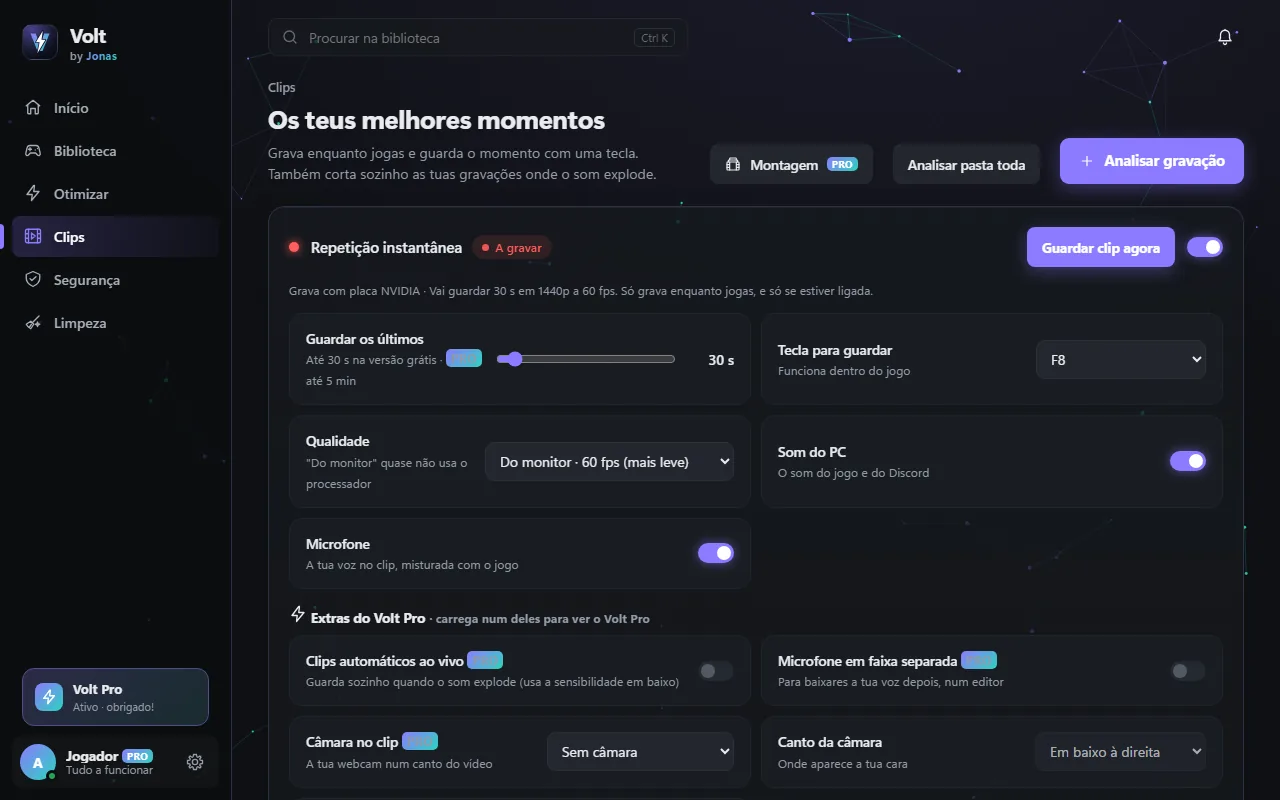
While you play, Volt always keeps the last 30 seconds. Pulled off something epic? Press F8 and it's saved, with game sound and your voice. It records on the graphics card, so it barely touches your FPS.

🛡️

Tells you what each thing is

Scans for viruses with Windows Defender and shows what starts up hidden. Explains everything in plain words and asks before touching anything.

🧹

Cleans what's left over

Temp files, cache, error reports, duplicates. Shows how much you gain and you choose.

📂

Tidies your Downloads

One click and each file goes to its own folder. Your mum would be proud.

Inside

This is what Volt looks like.

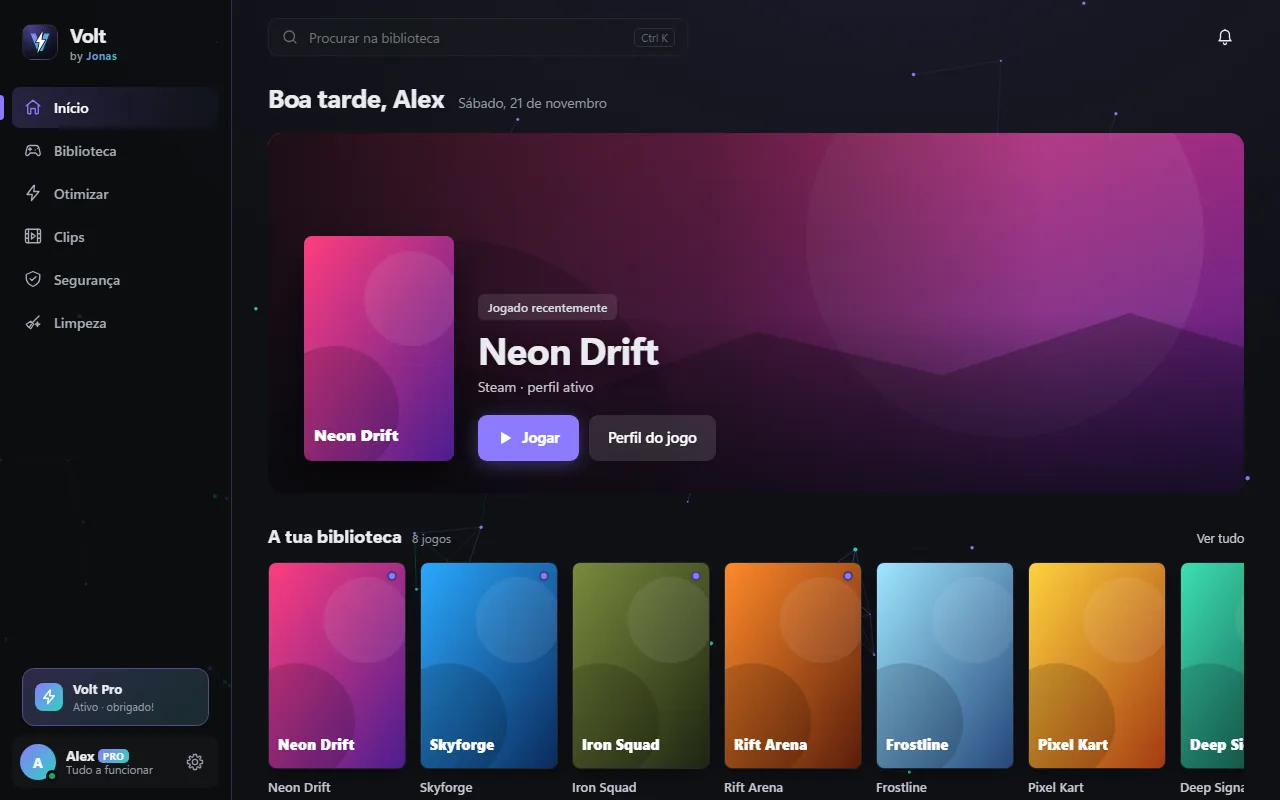
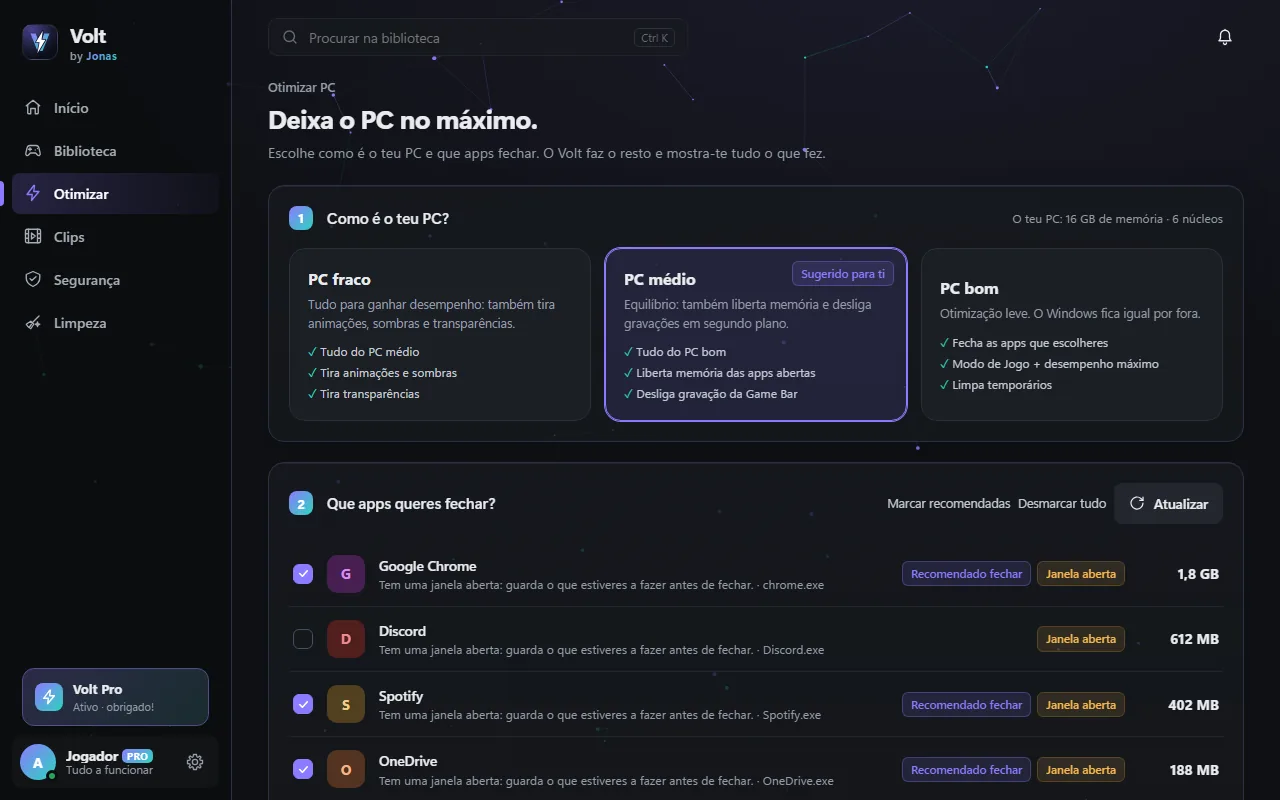
Real screenshots of the app (with sample games). The app is in Portuguese for now; English is on the way.

Volt home: featured game, library, saved plays and PC status
Home Your gaming day, your latest plays and your PC's status.
Optimize PC: choose your PC type and the apps to close
Optimize Pick your PC and what to close. It shows you everything it did.
Volt clips: instant replay recording, saved with the F8 key
Clips Press F8 and Volt saves the play, with sound and mic.
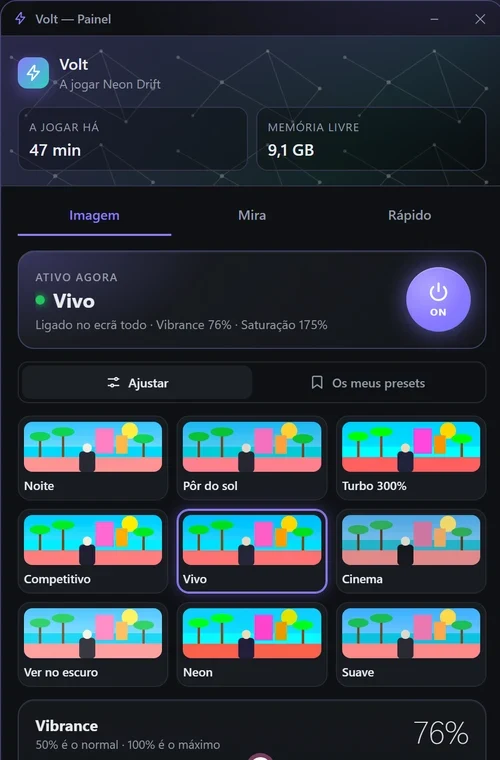
In-game panel (INS key) with 9 ready-made colour looks
In-game (INS) 9 ready-made colour looks, an ON/OFF button and saturation up to 300%. Never touches the game.
Yours, your way

Pick a colour.

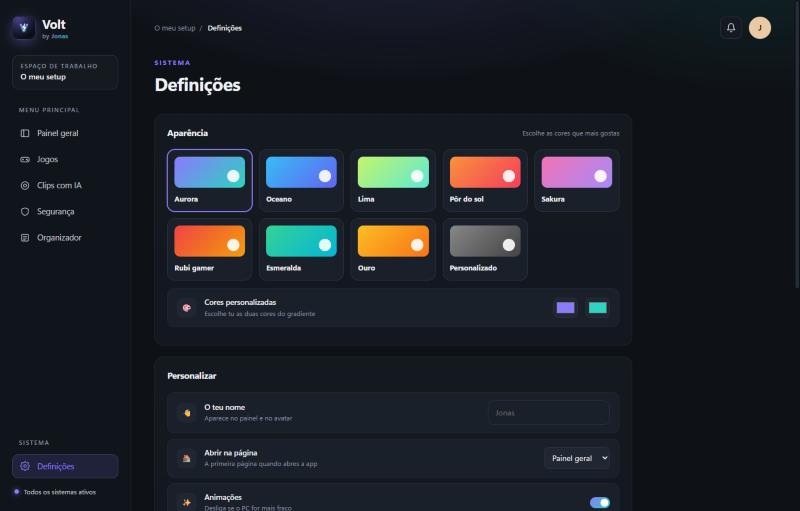
The app has 8 themes (and you can make your own). Click a colour: this site changes with you.

Theme: Aurora

Volt colour themes

Hi! I'm Jonas.

I made Volt because I wanted something simple: open a game and not have to think about anything else. No closing programs one by one, no hunting for the best plays in a huge video, no clean-ups that delete who-knows-what.

That's why Volt always explains what it's going to do and never deletes anything without asking. It's free and it will stay free. If you have an idea to make it better, I really want to hear it.

— Jonas ⚡

Getting started

Less than a minute. Really.

  1. 1

    Create an account

    Free, with Google, Discord, Microsoft or email. Takes 10 seconds.

  2. 2

    Install

    Open VoltSetup.exe and click “Yes”. No admin needed.

  3. 3

    Play

    Pick your games once. After that, just play.

Safety

It touches your PC, so it has to be trustworthy.

Always asks

Nothing is deleted without your OK. Your files go to the Recycle Bin.

Protected sign-in

You sign in through the browser with Google, Discord and others. Volt never sees those passwords.

No admin

Installs just for you. Only asks for more permissions if you want.

Leaves no mess

Windows Settings → Apps → Volt → Uninstall. Your clips stay.

Check that the download is the real one

Every version has a fingerprint. If it matches yours, nobody tampered with the file.

—
Get-FileHash .\VoltSetup.exe -Algorithm SHA256
Seeing “Windows protected your PC”?

Windows shows this for new apps that don't have a paid digital signature yet. Click More info → Run anyway. Only download Volt from here and check the fingerprint.

Volt Pro

Volt is free. Pro is for those who want more.

Everything above is free and stays free, with no ads. Pro adds extras and helps pay for development.

Free, forever

  • PC optimization and game profiles
  • Recorder: saves the last 30 s with one key, with sound and mic
  • Trim clips, plus automatic clips from your recordings
  • Safety and clean-up
  • In-game panel (INS): 9 colour looks, saturation up to 300% and 1 crosshair
  • All themes

⚡ Volt Pro

  • Replay up to 5 minutes, up to 4K and 120 fps
  • Live automatic clips: saves on its own when the sound explodes
  • Webcam in the clip and mic on a separate track
  • Share: compresses for Discord and makes the vertical version for TikTok
  • Session montage and gaming stats
  • Per-game audio, temperature alert and weekly maintenance
  • Cloud backup of your settings
  • Per-game colours, unlimited presets and crosshairs

VAT included · cancel anytime · All about Volt Pro →

Questions

Things people ask us

Is it really free?

Yes. Volt is free, with no ads and no “try it for 7 days”, and so is the recorder. There's an optional Volt Pro with extras (clips up to 5 minutes, webcam, export for Discord and TikTok, cloud backup and more), but nothing that is free will become paid.

Does the recorder slow my game? Does it always record my screen?

Barely: it records on the graphics card (NVIDIA, AMD or Intel), so your processor stays free. It only records if you turn it on, and only while a game is open. Clips stay on your PC: nothing is uploaded.

Is the app in English?

The app is in Portuguese for now. The English version is being worked on and will arrive as a free update.

How do I cancel Volt Pro?

Whenever you want, from the purchase receipt email (“Manage subscription” link). Pro keeps working until the end of the period you already paid for.

Why do I need an account?

To keep Volt safe and know who uses it, without selling anything to anyone. Sign in with Google, Discord, Microsoft, GitHub or email.

What PC do I need?

64-bit Windows 10 or 11, 4 GB of memory (8 GB recommended) and about 150 MB of space. Works with NVIDIA, AMD and Intel graphics. No admin needed.

Does it really get faster?

It frees memory and CPU by closing what runs in the background and puts Windows in performance mode. How much you gain depends on your PC: if you have lots of things open, you'll notice.

Does it work with Valorant and Fortnite (anti-cheat)?

Yes. Volt doesn't touch the game, only Windows settings and the apps you choose to close.

Windows says “Windows protected your PC”. Is it dangerous?

No. That's SmartScreen: it shows up for new apps that don't have a paid digital signature or many downloads yet. Click More info and then Run anyway. To be sure the file is the real one, check the fingerprint.

Does it replace my antivirus?

No. It uses Windows Defender (which you already have) and helps you understand what it found.

How do I uninstall?

Windows Settings → Apps → Volt → Uninstall. Simple.

Ready to play without thinking about anything else?

Version 2.0.0 · 31 MB · Windows 10 and 11